GMP Compliant BMR Software: Digitize Batch Manufacturing Records for Smarter, Audit-Ready Manufacturing
In pharmaceutical, Ayurvedic, herbal, nutraceutical, cosmetic, and other regulated manufacturing environments, accurate documentation is just as important as the manufacturing process itself. Every batch needs to be properly documented, reviewed, verified, and approved before it moves to the next stage.
Traditional paper-based Batch Manufacturing Records (BMRs) can make this process slow, difficult to manage, and vulnerable to human errors. Missing entries, incorrect calculations, delayed approvals, misplaced documents, and limited visibility into production status can create significant operational challenges.
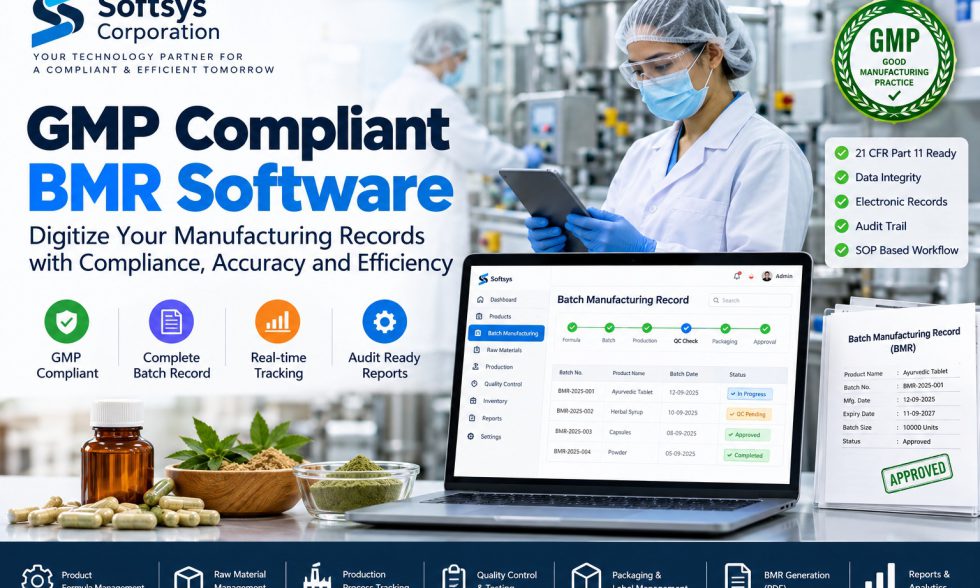
This is where GMP compliant BMR software can transform the way manufacturing organizations manage batch production and documentation.
Softsys Corporation provides technology solutions designed to help businesses digitize manufacturing workflows, batch records, production processes, quality checks, raw-material management, approvals, reporting, and documentation.
With a structured digital BMR workflow, manufacturers can move from scattered paper records toward a centralized and organized manufacturing record system.
What Is BMR Software?
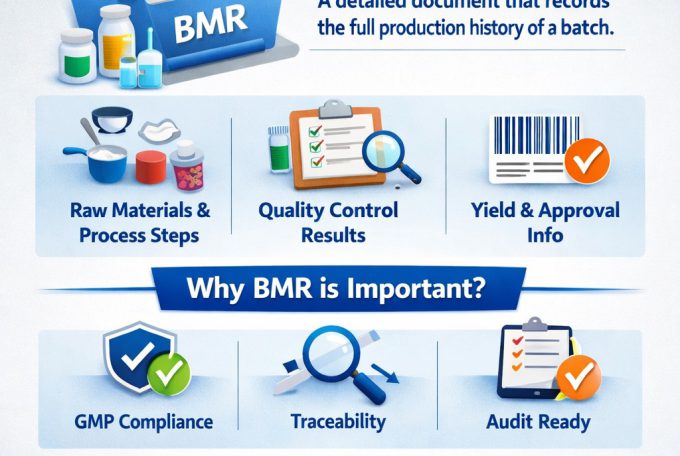
BMR software, or Batch Manufacturing Record software, is a digital system used to create, manage, track, review, and maintain records associated with the manufacturing of a particular batch.
A BMR can contain important information such as:
- Product and batch details
- Manufacturing formula
- Raw materials and quantities
- Manufacturing process steps
- Equipment information
- Production parameters
- In-process checks
- Quality control results
- Yield calculations
- Packaging information
- Label details
- Operator records
- Supervisor verification
- Approval workflows
- Batch status
- Supporting documentation
- Final BMR reports
Instead of maintaining this information across multiple paper documents and spreadsheets, a digital BMR system can bring the workflow into one centralized platform.
Why Do Manufacturers Need GMP Compliant BMR Software?
Good Manufacturing Practice (GMP) emphasizes controlled processes, consistent manufacturing, documentation, quality, traceability, and accountability.
A manufacturing organization may have multiple batches running simultaneously. Managing these batches manually can become increasingly complicated as production volume increases.
A digital BMR solution can help organizations establish a more structured workflow for:
Product Formula → Batch Creation → Raw Materials → Production → Quality Control → Packaging → Approval → Final BMR
This approach can improve visibility and reduce dependence on manually maintained records.
However, it is important to understand that software being described as “GMP compliant” does not automatically make a manufacturing operation GMP compliant. The software should be configured, validated, controlled, and used according to the organization’s applicable regulatory and quality requirements.
Key Features of GMP Compliant BMR Software
A modern BMR management platform can include several modules to support the complete manufacturing lifecycle.
1. Product Formula Management
Manufacturers can maintain standardized product formulas and manufacturing specifications.
A formula may include:
- Product name
- Product code
- Ingredients
- Raw materials
- Required quantities
- Manufacturing instructions
- Process parameters
- Standard yield
- Packaging requirements
Centralized formula management can help reduce duplication and improve consistency across batches.
2. Batch Creation and Management
Create a unique batch record for every manufacturing batch.
The system can maintain information such as:
- Batch number
- Product
- Batch size
- Manufacturing date
- Expiry date
- Production status
- Assigned personnel
- Manufacturing location
Each batch can then be tracked throughout its complete production lifecycle.
3. Raw Material Management
Raw materials are a critical part of manufacturing documentation.
BMR software can connect batch production with raw-material information, including:
- Material name
- Material code
- Quantity required
- Quantity issued
- Batch/lot number
- Supplier information
- Available quantity
- Material status
- Consumption records
This creates better visibility between inventory and production activities.
4. Digital Production Process Tracking
Instead of relying entirely on paper forms, production teams can record manufacturing activities digitally.
The system can track:
- Manufacturing steps
- Start and completion times
- Operators
- Equipment
- Process observations
- Production quantities
- Process parameters
- Manufacturing status
Managers can get a clearer view of where each batch is within the production workflow.
5. Quality Control and Testing
Quality control is an important stage of batch manufacturing.
A BMR platform can provide structured areas for recording QC activities, test results, observations, and approval status.
Depending on the organization’s requirements, workflows can support:
- In-process testing
- Finished-product testing
- Quality parameters
- Test results
- Acceptance criteria
- QC approval
- Rejection/hold status
- Remarks
This helps connect manufacturing documentation with quality-related activities.
6. Yield Calculation
Manual calculations can introduce avoidable errors.
Digital BMR software can support standardized yield calculations based on production inputs and outputs.
For example:
Actual Yield = Actual Output ÷ Expected Output × 100
The software can maintain yield information as part of the batch record and make it easier for authorized users to review production performance.
7. Packaging and Label Management
Manufacturing does not end when the product is produced.
Packaging information can also become part of the digital batch record.
The workflow can include:
- Packaging material
- Packaging quantity
- Pack size
- Label information
- Packaging batch details
- Packaging verification
- Final packaging approval
This creates a more complete digital record of the batch.
8. Approval Workflow
A structured approval process can help define who is responsible for reviewing different stages of a batch.
For example:
Production Entry → Supervisor Review → QC Review → QA Approval → Batch Completion
Role-based workflows can help organizations maintain accountability and ensure that appropriate users review records before final approval.
9. Audit Trail and Data Traceability
For regulated manufacturing environments, knowing who performed an action and when can be extremely important.
A properly designed system can maintain audit-related information for activities such as:
- Record creation
- Record modification
- Approval
- Rejection
- Status changes
- Data entry
- User actions
The exact audit-trail and data-integrity controls should be designed and validated according to the applicable regulatory requirements.
10. Electronic BMR Generation
Once a batch is completed and approved, the system can generate a consolidated Batch Manufacturing Record.
A digital BMR report may contain:
- Product information
- Batch information
- Formula
- Raw-material details
- Production records
- QC records
- Packaging records
- Yield calculations
- Approvals
- Signatures or authorization records
- Supporting information
Reports can be generated in a standardized format, including PDF where required by the organization’s workflow.
Paper BMR vs Digital BMR Software
Traditional paper-based BMR management can require employees to manually fill out forms, calculate values, verify information, organize documents, and locate records during reviews.
A digital BMR platform can provide centralized access and workflow management.
| Paper-Based BMR | Digital BMR Software |
|---|---|
| Manual data entry | Structured digital entry |
| Physical document storage | Centralized digital records |
| Manual calculations | Automated calculations where configured |
| Difficult batch tracking | Real-time workflow visibility |
| Paper-based approvals | Digital workflow approvals |
| Searching documents takes time | Faster record retrieval |
| Higher risk of missing information | Validation rules can reduce omissions |
| Manual reporting | Automated report generation |
| Difficult production monitoring | Dashboard-based visibility |
| Physical audit preparation | Organized electronic records |
The objective is not simply to replace paper with software. The larger opportunity is to create a controlled, traceable, and efficient manufacturing workflow.
Who Can Use BMR Software?
GMP-oriented BMR software can be useful across multiple manufacturing industries.
Pharmaceutical Manufacturing
Pharmaceutical manufacturers can use digital BMR workflows to manage product formulas, production activities, raw materials, QC checks, approvals, and batch documentation.
Ayurvedic and Herbal Manufacturing
Ayurvedic and herbal manufacturers often work with multiple formulations, ingredients, processing stages, and batch sizes. A structured digital BMR system can help organize these records.
Nutraceutical Manufacturing
Nutraceutical companies can use BMR software for documenting production, ingredients, quality checks, packaging, and batch approvals.
Cosmetic Manufacturing
Cosmetic manufacturers can use digital manufacturing records to organize formulations, raw materials, production processes, QC activities, and packaging.
Food and Supplement Manufacturing
Manufacturing businesses that require structured batch documentation can also benefit from digital batch-record workflows.
Benefits of Digital BMR Software
Implementing a centralized BMR system can provide several operational advantages.
Reduce Paperwork
Digital records can significantly reduce dependence on physical forms and manual document handling.
Improve Data Accuracy
Structured fields, predefined formulas, validation rules, and controlled workflows can help reduce common data-entry and calculation errors.
Increase Production Visibility
Managers can see batch status and identify where a batch is currently positioned in the production process.
Improve Traceability
A centralized system can make it easier to connect products, batches, raw materials, production activities, QC records, and approvals.
Speed Up Documentation
Instead of manually compiling multiple documents, organizations can maintain batch information within a structured digital workflow.
Simplify Record Retrieval
Authorized users can search for batch records and related information more efficiently than searching through physical files.
Support Audit Readiness
Well-organized digital records, controlled workflows, and appropriate audit trails can help organizations prepare documentation for internal reviews and applicable inspections.
Improve Management Reporting
Dashboards and reports can provide information about:
- Production status
- Batch completion
- QC status
- Yield
- Raw-material usage
- Pending approvals
- Completed batches
How a BMR Software Workflow Works
A typical digital BMR workflow can be structured as follows:
Step 1: Create Product Formula
Define the product formulation, materials, quantities, and manufacturing instructions.
Step 2: Create Batch
Generate a unique batch record based on the selected product and required batch size.
Step 3: Allocate Raw Materials
Record the required raw materials and quantities against the batch.
Step 4: Start Production
Production personnel complete the defined manufacturing process steps.
Step 5: Record Manufacturing Data
Operators enter relevant process information, quantities, observations, and equipment details.
Step 6: Perform Quality Checks
QC personnel record testing and verification information according to the defined process.
Step 7: Calculate Yield
The system can calculate and record production yield based on configured formulas.
Step 8: Complete Packaging
Record packaging materials, quantities, labels, and relevant verification information.
Step 9: Review and Approve
Authorized personnel review the completed batch record and approve or reject it according to the configured workflow.
Step 10: Generate Final BMR
The completed batch record can be compiled into a final digital report for storage and future reference.
GMP, Data Integrity and Electronic Records
For regulated manufacturing, implementing software is only one part of the overall compliance strategy.
Organizations should consider controls related to:
- User access
- Role-based permissions
- Data integrity
- Audit trails
- Electronic records
- Electronic signatures where applicable
- Change control
- System validation
- Backup and recovery
- SOPs
- Training
- Record retention
- Security
Requirements can differ based on the country, product category, manufacturing process, and applicable regulatory framework.
Therefore, organizations should evaluate the software and its implementation against their specific regulatory and quality requirements.
Why Choose Softsys Corporation for BMR Software Development?
Softsys Corporation provides software development and technology solutions for businesses looking to digitize complex operational processes.
Our approach to BMR software focuses on creating a centralized manufacturing management workflow rather than simply developing a digital form.
A customized BMR platform can be designed around your organization’s:
- Products
- Manufacturing formulas
- Batch sizes
- Raw materials
- Production processes
- QC procedures
- Packaging workflow
- Approval hierarchy
- Reporting requirements
- User roles
- Documentation requirements
This makes it possible to develop a BMR solution that fits the organization’s actual manufacturing workflow.
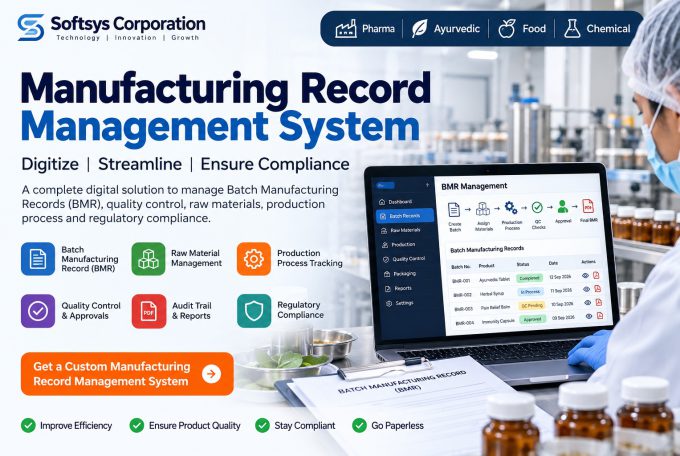
Build a Customized BMR Management System
Every manufacturing company operates differently.
Instead of forcing your production team to adapt to a generic system, Softsys Corporation can develop a customized solution around your existing processes.
Potential modules include:
Product Management → Formula Management → Raw Materials → Batch Management → Production → QC → Packaging → Approval → BMR PDF → Reports & Analytics
The system can also be expanded with other modules such as inventory, purchase management, supplier management, user management, notifications, dashboards, and integrations.
The Future of Batch Manufacturing Is Digital
Manufacturing organizations are increasingly moving toward digital systems because production data, quality information, inventory, documentation, and management reporting need to work together.
A well-designed GMP compliant BMR software solution can become an important component of a modern manufacturing technology ecosystem.
Instead of searching through paper files and spreadsheets, authorized users can access structured batch information through a centralized system.
The result can be a more organized manufacturing operation with better visibility, traceability, documentation, and operational efficiency.
Conclusion
A Batch Manufacturing Record is much more than a manufacturing document. It represents the history of how a particular batch was produced, checked, packaged, reviewed, and approved.
Moving from paper-based BMRs to digital BMR software can help manufacturers improve documentation, reduce manual work, strengthen traceability, and gain better visibility into production.
For pharmaceutical, Ayurvedic, herbal, nutraceutical, cosmetic, and other manufacturing businesses, a customized BMR platform can provide a scalable foundation for digitizing batch manufacturing workflows.
Softsys Corporation can help you design and develop a customized BMR software solution aligned with your manufacturing workflow and business requirements.
If your organization is planning to replace paper-based Batch Manufacturing Records with a centralized digital system, now is the right time to start the transition.
Ready to digitize your manufacturing records? Contact Softsys Corporation to discuss your BMR software requirements and build a solution tailored to your production workflow.
Website: https://www.softsyscorporation.com/
Frequently Asked Questions About GMP Compliant BMR Software
What is GMP compliant BMR software?
GMP-oriented BMR software is a digital system designed to manage Batch Manufacturing Records through controlled manufacturing, documentation, quality, review, and approval workflows. The software itself does not automatically make a facility GMP compliant; implementation and validation must meet the organization’s applicable requirements.
What is a Batch Manufacturing Record?
A Batch Manufacturing Record is a documented record containing information about the manufacturing of a specific batch, including materials, formulation, production steps, quality checks, packaging, yield, and approvals.
Can BMR software be customized?
Yes. BMR software can be customized for different manufacturing processes, products, formulas, approval workflows, QC requirements, user roles, reports, and documentation formats.
Can BMR software be used for Ayurvedic manufacturing?
Yes. A BMR system can be designed for Ayurvedic and herbal manufacturing workflows, including formulations, raw materials, batch production, process records, QC, packaging, approvals, and final BMR generation.
Can BMR software generate PDF reports?
Yes. A BMR application can be designed to generate structured PDF batch records containing production, material, QC, packaging, approval, and other relevant information.
Does BMR software support audit trails?
A properly designed system can include audit-trail functionality to record relevant user actions, changes, approvals, and timestamps. The exact implementation should be defined according to the organization’s applicable regulatory and validation requirements.
How can I get BMR software developed for my company?
You can contact Softsys Corporation with your manufacturing workflow, BMR format, product formulas, QC process, approval structure, and reporting requirements. A customized BMR solution can then be designed around your business process.